• Welcome to N-cars.net - the largest Hyundai N car forum. Check out the model specific sections below and scroll down for country specific forums. Scroll down for i30 N, Ioniq 5 N, i20 N, Veloster N and Kona N forums! Check out the i30 N Bible Here!

Radio Engineer Mode / Android

Ya all got more balls than I do, that's for sure. I'm not about to brick my head unit to find out either.

Ditto on the copyright files.

I don't think Hyundai will take to kindly to such meddling on the Internet either. Just because you own the car, doesn't mean it gives you the right to mess around with the copyrights files. Just like duplicating music, movies etc., and trying to sell them.

People get sued, go to jail or both, for doing such things. There's a bunch of hackers in jail right now for playing around with things just like this.

Truth be told, this type of hacking needs to be shared thru PM's between those who are interested. It sure isn't good for it to be exposed directly on this forum. It makes the forum liable directly.

Eventually, it always leads to something worse.
 
Last edited:
In my i30N I could now open the menu, I see some Android stuff but haven't yet figured out how to open the normal Android settings or even install my own apps. In the past it should have been very easy.

 
Last edited:
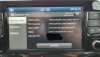
@Haba1205 a question about the Engineer Mode, i try to create a hib image, after i pressed it he reboot and now he stuck in the booting (Only see the boot logo and now i bluelink logo at the right top corner)

See pic
 

Attachments

  • index.jpg
    index.jpg
    129.7 KB · Views: 70
You have reset button a little hole. Try to it.
It start again and stuck in the boot logo, maybe i wait for a usb worked usb device i put in a fat32 stick. I know it exist function that can brick the radio but copy to usb? xD (Create Hib Image to USB)

#edit
Okay it dont care with stick i put in. But my radio works xD i can switch the senders idk why i see permanently the hyundai logo but the radio works.
 
Last edited:
It start again and stuck in the boot logo, maybe i wait for a usb worked usb device i put in a fat32 stick. I know it exist function that can brick the radio but copy to usb? xD (Create Hib Image to USB)

#edit
Okay it dont care with stick i put in. But my radio works xD i can switch the senders idk why i see permanently the hyundai logo but the radio works.

Uhh...Go to Dealer and say to it morning you start and these happend, maybe solve it garuantee.
 
  • Like
Reactions: NULLOBANDITO
Uhh...Go to Dealer and say to it morning you start and these happend, maybe solve it garuantee.

Funny is that the radio is working xD System boots, i hear from the rear camera the beep, i can switch my songs (android auto wont work), i can mute the radio... I cut the battery but same result after retry. Can i install a firmware patch?
 
Funny is that the radio is working xD System boots, i hear from the rear camera the beep, i can switch my songs (android auto wont work), i can mute the radio... I cut the battery but same result after retry. Can i install a firmware patch?
Maybe from pendrive, but i think you can't go to that menu.
 
Uhh...Go to Dealer and say to it morning you start and these happend, maybe solve it garuantee.

A friend happened the same problem as you in his i30 style, he went to the dealership and went crazy, it took him 2 months to replace the whole radio in warranty.
 
It`s been a while since we last spoke about this :p Has anyone figured out a way to access the android hidden in our head units, maybe with a possibility to use the internet browser and install apps and stuff? Or if anyone knows a good way to mirror android from my phone to the car i would also know how to! (Not talking about Android Auto, I want the YouTube stuffs :3) Thanks!
 
With the last update Hyundai totally blocked the engineering menu. The i30N different than normal i30 or other Hyundai types (why???? :( ) so i stucked too with anything. Maybe if somewhere find a fully diagram for the motherboard, it's maybe can be boot otherway. Or use android auto applications.
 
  • Like
Reactions: padigree
  • Like
Reactions: Polar_Performance
Last edited:
  • Like
Reactions: NULLOBANDITO