
Yeah me too, i wanted to publish after i tryed all of things, found the way to safe editing etc.. Next update is harder, i think more updates change this mode, next version i'm not publish anything. Only after i have published version.That's why I will only post finished results. Also it's really not that good to publish these things of copying files and entering these modes on Youtube. People will try it without any bad thought and after they can't use their cars for a while. Also I hope for these people that the unit will not make some logs while entering and changing hidden menue settings, so they could pay for the unit because it's not covered by cars warranty.

-
Welcome to N-cars.net - the largest Hyundai N car forum. Check out the model specific sections below and scroll down for country specific forums. Scroll down for i30 N, Ioniq 5 N, i20 N, Veloster N and Kona N forums! Check out the i30 N Bible Here!
Radio Engineer Mode / Android
- Thread starter Dariofil
- Start date
You are using an out of date browser. It may not display this or other websites correctly.
You should upgrade or use an alternative browser.
You should upgrade or use an alternative browser.

Sorry guys. My bad.
I can confirm that 5 left taps and 1 right tap is working with new firmware V100.
I was just tapping in slightly wrong place.
I have entered menu but did not change anything since I think I am not competent to do that.
I am more of a hardware guy.
here, I made a quick video:
I can confirm that 5 left taps and 1 right tap is working with new firmware V100.
I was just tapping in slightly wrong place.
I have entered menu but did not change anything since I think I am not competent to do that.
I am more of a hardware guy.
here, I made a quick video:
Last edited:

Alright, did some digging around, in one of the submenus you get some really interesting settings and infos:


Not only can you change your car's WiFi's MAC Address, you can also set a static IP! Quite useful if you want to do some ITTT coding in your home WiFi. Also jitter-tests and the like can be done in the menu:

Also, in the NAV DevSettings menu you can enable/disable speed camera warnings (in case they don't work), set your car to be an EV (then it'll show charging stations) and do some fuel settings (i think this might change whether or not the gas stations you get displayed are gasoline/diesel/LPG/CNG only).


There's even more interesting settings regarding the camera used for the active steering assist, but i haven't tried changing them so far.
Some more info of my display:

Haven't really dug deeper yet but will do some time.
EDIT: If the fuel settings really allow to switch to natural gas like LPG/CNG that's gonna be great for when I get the car retrofitted to run on LPG/CNG in a few years.
Not only can you change your car's WiFi's MAC Address, you can also set a static IP! Quite useful if you want to do some ITTT coding in your home WiFi. Also jitter-tests and the like can be done in the menu:
Also, in the NAV DevSettings menu you can enable/disable speed camera warnings (in case they don't work), set your car to be an EV (then it'll show charging stations) and do some fuel settings (i think this might change whether or not the gas stations you get displayed are gasoline/diesel/LPG/CNG only).
There's even more interesting settings regarding the camera used for the active steering assist, but i haven't tried changing them so far.
Some more info of my display:
Haven't really dug deeper yet but will do some time.
EDIT: If the fuel settings really allow to switch to natural gas like LPG/CNG that's gonna be great for when I get the car retrofitted to run on LPG/CNG in a few years.
Last edited:
All settings not change anything. When you turn on/off nothing happend, at V85. It must be secured. I made a lot of test, nothing happend at the moment. It's need to be find the backdoor for edit&save, or it's need to enter with GDS to work.


To be honest, I wouldn't discuss this here. Maybe something like a chatroom, becuase guests could also watch this. Maybe I'll do a short video to prevent people damaging their headunits. As said before, I think it's not that good to post these things on facebook and youtube, where everybody have the possibility to do the same and damaging things without knowing anything about it...


If anyone has anything they'd like to test let me know. I've just been informed that I have a way to fix a bricked head unit so I'm free to try whatever I want with no repercussions.
PM me if you don't wanna share it here I guess.
PM me if you don't wanna share it here I guess.
Hi there, I found out same engineer menu for Tucson MY 2018.
I was looking for possibility to install 3rd party apps to Android but I don't know any usable backdoor for these units (Gen 5.0 MOBIS).
Lucky Gen 5.0 LG units owners - backdoor was found in source code publicated by LG here:
http://opensource.lge.com/osSch/list?types=ALL&search=LAN6200
Little hint: package com.lge.ivi.setting.activity
All the info comes from russian source but it makes sence
I tried to find source codes for our units but they are useless:
http://en.mobis.co.kr/cmm/fms/FileD...60&fileNm=OSA_201812120900029560.zip&fileSn=0
I hope it will help Semir333 to proceed ;-)
I was looking for possibility to install 3rd party apps to Android but I don't know any usable backdoor for these units (Gen 5.0 MOBIS).
Lucky Gen 5.0 LG units owners - backdoor was found in source code publicated by LG here:
http://opensource.lge.com/osSch/list?types=ALL&search=LAN6200
Little hint: package com.lge.ivi.setting.activity
JavaScript:
    public boolean onTouch(View view, MotionEvent motionEvent) {
        if (motionEvent.getAction() == 0) {
            Message obtainMessage;
            switch (view.getId()) {
                case R.id.swinfo_firmware_ver:
                case R.id.swinfo_map_ver:
                    this.mSecretCountByLGBasic = -1;
                    if (this.mSecretCountByHMCDealer != -1) {
                        this.mSecretCountByHMCDealer++;
                        if (this.mSecretCountByHMCDealer > 4) {
                            removeAllHandlerMessage();
                            this.mSecretCountByHMCDealer = -1;
                            break;
                        }
                    }
                    removeAllHandlerMessage();
                    this.mSecretCountByHMCDealer = 1;
                    obtainMessage = this.mhandler.obtainMessage();
                    obtainMessage.what = Constants.HANDLER_MESSAGE_ENTER_ENGINEERING_MENU2;
                    this.mhandler.sendMessageDelayed(obtainMessage, 3000);
                    break;
                    break;
                case R.id.swinfo_firmware_ver_detail:
                case R.id.swinfo_map_ver_detail:
                    this.mSecretCountByLGBasic = -1;
                    if (this.mSecretCountByHMCDealer <= 3) {
                        removeAllHandlerMessage();
                        this.mSecretCountByHMCDealer = -1;
                        break;
                    }
                    this.mSecretCountByHMCDealer++;
                    removeAllHandlerMessage();
                    obtainMessage = this.mhandler.obtainMessage();
                    obtainMessage.what = Constants.HANDLER_MESSAGE_ENTER_ENGINEERING_MENU2;
                    this.mhandler.sendMessage(obtainMessage);
                    break;
            }
        }
        return false;
    }
All the info comes from russian source but it makes sence
I tried to find source codes for our units but they are useless:
http://en.mobis.co.kr/cmm/fms/FileD...60&fileNm=OSA_201812120900029560.zip&fileSn=0
I hope it will help Semir333 to proceed ;-)
I found this video here, which allows us to fully access all of android on the headunit (video is in german, sadly):
EDIT: The stuff in the video seems to NOT WORK for the i30N.
Let's just keep on digging.
EDIT: The stuff in the video seems to NOT WORK for the i30N.
Let's just keep on digging.
Last edited:
I found this video here, which allows us to fully access all of android on the headunit (video is in german, sadly):
Seems to be a totally different system than the ones found on our Ns, ours don't have the same engineering mode menu options ("All Applications") sadly.
Aww manSeems to be a totally different system than the ones found on our Ns, ours don't have the same engineering mode menu options ("All Applications") sadly.

Hi friends, I have an Active i20 (2018), and it also works 5 left clicks and 1 right click. My system does not have nav gps, no wifi, etc. but they do appear in the menu. You know if you can update the hardware to have for example Nav Gps. I asked in hyundai service and they said no.
I am interested in improving my system and I will follow this post. please continue to report
Thank you
sorry for my poor English, is translated with Google translator
I am interested in improving my system and I will follow this post. please continue to report
Thank you
sorry for my poor English, is translated with Google translator
In order to use the NAV software, you have to insert an SD Card that has the actual Maps on it. You can enable/disable WiFi in a sub menu of the engineering mode, as well as the NAV App. (Try looking through the previous screenshots, as they detail some of the mentioned menus)Hi friends, I have an Active i20 (2018), and it also works 5 left clicks and 1 right click. My system does not have nav gps, no wifi, etc. but they do appear in the menu. You know if you can update the hardware to have for example Nav Gps. I asked in hyundai service and they said no.
I am interested in improving my system and I will follow this post. please continue to report
Thank you
sorry for my poor English, is translated with Google translator
thanks for your answer NULLOBANDITO ... My system does not have nav gps, or wifi. it does not have sd card. that's why I asked. Upon entering the menu if I see that it has GPS antenna receiver. view photo. that's why I asked .
I do not see where to install a program in intern memory.
I do not see where to install a program in intern memory.
Attachments
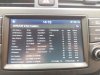


Just updated mine to v100 when i had my car in for 20000km service. Tryed that 5 -1 tap and now i got the speedcam varnings working perfect. Just tryed them on brand new speedcams
BTW, I say it again. I know there are possibilities to update the system on yourself. But you should know (as mentioned more than one time before) that these files are copyrighted. Hyundai owns these files, so any sharing isn't legal in here.
ok,BTW, I say it again. I know there are possibilities to update the system on yourself. But you should know (as mentioned more than one time before) that these files are copyrighted. Hyundai owns these files, so any sharing isn't legal in here.