
-
Welcome to N-cars.net - the largest Hyundai N car forum. Check out the model specific sections below and scroll down for country specific forums. Scroll down for i30 N, Ioniq 5 N, i20 N, Veloster N and Kona N forums! Check out the i30 N Bible Here!
How To: Headunit firmware & GPS navigation maps update
You are using an out of date browser. It may not display this or other websites correctly.
You should upgrade or use an alternative browser.
You should upgrade or use an alternative browser.


Just reading the disclaimer notes at the end of the release note it states that if you do not have a SDcard slot you can update via the USB socket but the media MUST be formatted exFAT, not FAT32. It might enable a few members without navigation to update their software.

A screenshot of of the software info screen would help.Any news on when we can do the 2021 update ourselves? Took mine for it's service a week ago and "it has the latest maps already"
It's got the latest 2020 ones from this thread, if new stuff was released the last month or 2 it definitely doesn't have it. Unless the maps are up to date but not the software.A screenshot of of the software info screen would help.
There are two releases for this year, an April one and a May one. Both V 120It's got the latest 2020 ones from this thread, if new stuff was released the last month or 2 it definitely doesn't have it. Unless the maps are up to date but not the software.
Yeah I havent installed an update since last year nor was it at the dealer before, do we have the download to the new software?There are two releases for this year, an April one and a May one. Both V 120
I'm experimenting with the files for the Russian market, our software is supposedly the same as the Tucson MY both gen 5 and mobis.Yeah I havent installed an update since last year nor was it at the dealer before, do we have the download to the new software?
Hi all - looks like the latest software and maps for I30N is out on the boliden forum. Can someone more experienced than me take a look to confirm though (Is the I30N UK called PDe...?)I'm experimenting with the files for the Russian market, our software is supposedly the same as the Tucson MY both gen 5 and mobis.
Official EUR: Gen 5.0 EU All Software 2021 V1.2 ( MOBIS ) and Mobis_Maps_Jun_2021_EUR.13.47.47.412.205.5
For all of you mobis people who has been patiently for their update, now its your time. Kudos to the source who contacted me. Santa Fe TM, i30 PDe N, KONA OSEV/GSL, i20 05.2018 ->;, Tucson TLe 18MY, i20 2018-> XXX.EUR.SOP.V120.201203.STD M DAP.EUR.HMC.201127.39AF429...
That's the April release of the software, the apparently buggy one.
Ok great thanks Jajodu - when I saw June 2021 I got excited. Run away from this one then!That's the April release of the software, the apparently buggy one.
It's not that bad, the turn by turn details are greatly improved , the search for a location in the Nav has changed in that you get a single search box that covers everything, i.e. postcode, street name, town etc. Only bug I can see is that the speedlimit info on the map screen is 1 MPH under the real limit, 59 instead of 60.Ok great thanks Jajodu - when I saw June 2021 I got excited. Run away from this one then!
The speed limit being out would throw my OCD completely. Really glad I ask you experts first (and I didn't want to download huge files for no reason!). Cheers Jajodu againIt's not that bad, the turn by turn details are greatly improved , the search for a location in the Nav has changed in that you get a single search box that covers everything, i.e. postcode, street name, town etc. Only bug I can see is that the speedlimit info on the map screen is 1 MPH under the real limit, 59 instead of 60.

Yesterday, I dared to update with this version and didn't find a bug until now.
But I am on km/h, so maybe the wrong speedlimit is only on MPH.
The new search needs a bit getting used to it but it is like the search in google maps which may be the main cause to change it at all. All in all it feels a little bit nicer, more up-to-date.
Unfortunatly, the speedcam warning stays off in Germany.
I also used the russian version 14 maps. As mentioned in bolidenforum, I edited the files
Data\Nation\EUR\STD\Map\MAPMODULE.bin
and
Data\Nation\EUR\STD\Map\SDMODULE.bin
and replaced RUS with have EUR - but that is only for aesthetics, it works without problem if you leave it alone.
Regards
Markus
But I am on km/h, so maybe the wrong speedlimit is only on MPH.
The new search needs a bit getting used to it but it is like the search in google maps which may be the main cause to change it at all. All in all it feels a little bit nicer, more up-to-date.
Unfortunatly, the speedcam warning stays off in Germany.
I also used the russian version 14 maps. As mentioned in bolidenforum, I edited the files
Data\Nation\EUR\STD\Map\MAPMODULE.bin
and
Data\Nation\EUR\STD\Map\SDMODULE.bin
and replaced RUS with have EUR - but that is only for aesthetics, it works without problem if you leave it alone.
Regards
Markus
I've been trying to download the map files without any success as I understand it the s/w is the same between the April and May update, only the map has changed.
If you can upload the map to google drive and post the link that would be really good.
If you can upload the map to google drive and post the link that would be really good.
I downloaded the map from the official russian Hyundai Site (https://update.hyundai.com/RU/EN) via the Navigation Updater Program. Chose Tucson F/L (SD Card) as vehicle/model, because it has Gen5 Standard Navigation - which includes the wanted maps. You can just download it to harddisk or directly to SD. I just deleted the DAUDIOPLUS_M folder and edited the above mentioned files.
I think that is even more secure than downloading from an unknown google drive source
I think that is even more secure than downloading from an unknown google drive source
I installed v120 on top of v112. Visible nice UI changes and small details added in many locations.
Funny how the Sounds of nature got added as a menu item. More like Sounds of nature shredded to pieces by an obnoxious exhaust
Funny how the Sounds of nature got added as a menu item. More like Sounds of nature shredded to pieces by an obnoxious exhaust
That's exactly what I attempted last week, but i removed both the BIN and DAUDIOPLUs_M folder, that's why it wasn't recognised, I've just added the BIN folder back to the SDCARD and I now have the updated MAPS. Thanks a lot.I downloaded the map from the official russian Hyundai Site (https://update.hyundai.com/RU/EN) via the Navigation Updater Program. Chose Tucson F/L (SD Card) as vehicle/model, because it has Gen5 Standard Navigation - which includes the wanted maps. You can just download it to harddisk or directly to SD. I just deleted the DAUDIOPLUS_M folder and edited the above mentioned files.
I think that is even more secure than downloading from an unknown google drive source
So to summarise, I30N owners can download from the update.hyunda.com Russian site and select TUSCON F/L with SDCARD as this runs Mobis and it will update your cars software and maps. Looking at the app the 18MY appears to use the same software and maps.
To neaten this up there are two files that can be edited to remove the RUS location and change to EUR
These live in \Mobis_Gen_5_0_Tucson_18MY_SD_Card_RUS\Mobis_Gen_5_0_Tucson_18MY_SD_Card_RUS\Data\Nation\EUR\STD\Map
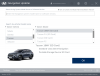
there are two files MAPMODULE.bin and SDMODULE.bin open with notepad and delete RUS and substitute EUR so it looks like this.
EUR.14.41.42.453 06736
Last edited:


To summarize for stupid me:
download Tucson F/L
write to card
change the to 2 files from RUS to EUR.
Update
optional(?) remove folder DAUDIOPLUs_M to remove updater from card.
download Tucson F/L
write to card
change the to 2 files from RUS to EUR.
Update
optional(?) remove folder DAUDIOPLUs_M to remove updater from card.