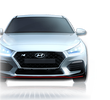
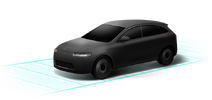
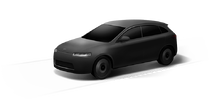
You mean this one?That should be possibleI wish I could change the color of the i30 N that‘s shown in the menu screens
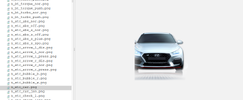

You mean this one?That should be possibleI wish I could change the color of the i30 N that‘s shown in the menu screens
You mean this one?That should be possible
Thanks a lot! Will send the edits when I'm done

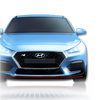
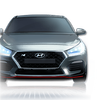
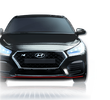
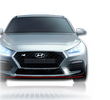
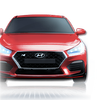
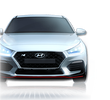
I haven't noticed that forum messed up with the images...they are supposed to be transparent. Sorry for that. Here is a google drive link with original images https://drive.google.com/file/d/1Hzh0xhZVoK8LX2xKa0G2owZWgLM3yKkN/view?usp=sharingSooo, I already did the N-View Images with the different N typical finishes. The Drive Mode Images need a bit more work, need to find a suitable Image that i can replace the current car with. Probably a job for the weekend.
Performance Blue
View attachment 26281
Shadow Grey
View attachment 26282
Phantom Black
View attachment 26283
Clean Slate
View attachment 26284
Engine Red
View attachment 26286
Polar White (default)
View attachment 26287
You totally fine! The images I downloaded from your post were transparent.I haven't noticed that forum messed up with the images...they are supposed to be transparent. Sorry for that. Here is a google drive link with original images https://drive.google.com/file/d/1Hzh0xhZVoK8LX2xKa0G2owZWgLM3yKkN/view?usp=sharing
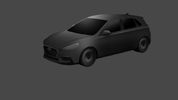
 Feel free to test, if these work in the car. Iam super curious. you probably need to rename the one you want to test to the original file name, but you probably know that I got myself a Hatch 3D Model, went into blender and got the angle for the image correct, after that i colored it in photoshop. Probably need to redo the Headlights, not quiet happy with em yet. Next step is recreating the background images and putting everything together. Thoughts so far?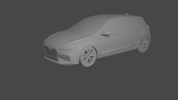

I found my mistake in jadx, I searched under "code" instead of "resources."View attachment 26186
Hi everyone,
I’m currently exploring the Engineering Mode app for Hyundai vehicles, and I noticed something intriguing with the latest version of the software. In older versions, the passwords for accessing the Engineering Mode were often stored in plain text within the app. However, with the current software version, it seems Hyundai has added a layer of obfuscation or encryption.
Here’s what I’ve found so far:
I suspect the passwords might now be dynamically generated, hidden within the compiled code (e.g., in the smali files), or obfuscated in a way that’s not immediately apparent.
- The app defines several password-related variables in the code (e.g., eng_pswd_default, eng_pswd_0, eng_pswd_1, etc.), but instead of plain text, they are represented as integer resource IDs (e.g., 0x7f08073b).
- These resource IDs typically refer to entries in the strings.xml file or other resource files within the app, but in this case, they don’t seem to directly map to visible passwords.
- I’ve decompiled the app and analyzed its resources, but I haven’t been able to locate the actual password values.
Here’s a screenshot of the current findings:
Has anyone else encountered this issue? Is there a way to uncover these passwords in the new version of the app? Or could they now be encrypted or hashed in a different part of the software?
Any insights or suggestions would be greatly appreciated. Thank you in advance for your help!
Already way better! Do you think the same would be possible for the FL version?Quick Update, this probably took longer than i wanted but I'm pretty happy with the result so far.
View attachment 26294View attachment 26295

Yeah of course! But before i start another one, I need confirmation that this really works in the car, otherwise its wasted time and effort :cAlready way better! Do you think the same would be possible for the FL version?
I was under the assumption that the Gen5 navigation unit does not have the hardware for wireless AA, so that just won't work.I have very old firmware available, and it's not possible. I think it was possible in regular i30, not the N one. If we could get firmware from old i30 where it was possible, maybe we could get it into N firmware. In general those firmwares are the same, they just produce different package based on car equipment, location, type... I found feature flags for pandora, soundcloud, baidu and more, but even if I enable it, nothing will happen as APKs for it are not available in our (mine) firmware.
greetings all,
is there any possibility to change region from korea to middle east ?
I have imported an Elantra N 2025 from korea to middle east,
I face a big issue with bluelink service which is not available in my country, so I have a profile user who is linked with bluelink service and I couldn't remove it from my car or even make a new profile user because the bluelink service cant connect to the hyundai service in korea
it shows a message that a authorization code sent to bluelink app, and after a minute shows failed to send no connection ( cant connect )
if I need to connect I have to be in korea otherwise not possible at all.
is there any way to disable the bluelink and then I can make a profile user to save settings and use car features that must be offline like valet mode and saving custom modes/N mode etc...
or I just need the middle east region software that not have bluelink service.
please help me with this issue
I have more than 5 friends have same problem
will be appreciated.
this information could help ;
Firmware Version
CN7NPE.KOR.301.240423.MICOM.D
Navigation App Version
STD5W.KOR.HMC.240726.abbt85
Navigation App Version
STD5W.KOR.HMC.240726.abbf857
Map Version
KOR.17.47.49.000.511.0
well, it looks like, but if the file has an extension eg.: .zip it doesn't mean that is the archive. I have checked this, 7zip doesn't open it, even Linux. It is a binary file, which looks like an archive. Analysing file and AI confirmed this. It is a shame, but it is what it is.Those files are compressed archives you can open e.g. with 7 Zip if you are using Windows. If you are using Linux untar is the command i think.
You should be really careful not to brick anything if this is the first time you come across tar.gz files.
Also the i30N probably uses another software / head unit than the Kia Sorento.