• Welcome to N-cars.net - the largest Hyundai N car forum. Check out the model specific sections below and scroll down for country specific forums. Scroll down for i30 N, Ioniq 5 N, i20 N, Veloster N and Kona N forums! Check out the i30 N Bible Here!

How To: Headunit firmware & GPS navigation maps update

The icon change was introduced Nov 21. Have you updated your yet?
I checked today and I have SW V120.201203 and MAP 14.41.41.657.201.5 so it is really old software.
I remember that hyundai did my last update but I think they lied or forgot......
Tomorrow I will buy SD card reader, take my card from the car and do an upgrade.
I downloaded 24GB of latest software but need a reader to write it to the card.

Summarizing - take card off the car - format it using navigation updater and write new software to it - took it back to car and easy 4 steps from manual with upgrading ?
 
I checked today and I have SW V120.201203 and MAP 14.41.41.657.201.5 so it is really old software.
I remember that hyundai did my last update but I think they lied or forgot......
Tomorrow I will buy SD card reader, take my card from the car and do an upgrade.
I downloaded 24GB of latest software but need a reader to write it to the card.

Summarizing - take card off the car - format it using navigation updater and write new software to it - took it back to car and easy 4 steps from manual with upgrading ?
Have the engine running throughout with stop start turned off. Takes about 20 minutes
 
  • Like
Reactions: kamyk155
Today I bought SD card reader, did a copy of the card "just in case" and did easy upgrade.
It was easy and even more easiest than in manual - when I put on the card back in slot and started the car - car told me that card was removed and reinserted, he saw new software on it and ask me - do I want to upgrade now.....so simply.
Finally grey panel is blue and not flat but with 3d icons.
 
  • Like
Reactions: Jajodu
A bit OT:

what good does an update to the newest firmware do, when having with an early '19 firmware fitted?
I'm satisfied with the responsiveness of the system.

I'm using AA, also for Nav stuff (it just beats every manufacturers nav by far, IMO).
I got a DSP fitted (I'm pretty shure that they changed the audio settings over the updates, and this would most likely mean the need to have the input side remeasured)
 
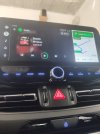
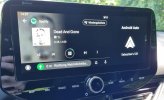
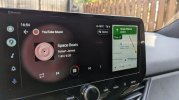
Just updated and yeah, fs aa finally. But I have to ask, are two apps always present at the same time? I have Google maps and Spotify, both are shown simultaneously and you can easily switch between them from left big part of the screen to the smaller right part but I also kind of thought you can have only one app over entire screen? I haven't found an option for that...Is that even possible? Thanks
I also did the update today and I don't seem to get AA in full screen. I haven't found the option to show two apps simultaneously.
The update also seems to have broken my AAWireless...
 
Weird...I personally didn't set or change anything, aa simply shows maps and my media player, with one app taking two thirds of the screen and one app one third of the screen (you can switch their position from left to right with one touch). For AAWireless you should try to change the connection to a different mode (passthrough etc.) and see if that helps.
 

Attachments

  • PSX_20220702_103456.jpg
    PSX_20220702_103456.jpg
    595 KB · Views: 56
Last edited:
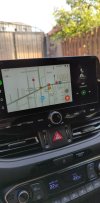
So I managed to get AAWireless working again, but still my AA is not full screen.
Navigation is just showing as a small tab at the bottom.
It somehow looks completely different to yours. Maybe it's related to phone software?
 

Attachments

  • 20220702_140701.jpg
    20220702_140701.jpg
    788.8 KB · Views: 35
So I managed to get AAWireless working again, but still my AA is not full screen.
Navigation is just showing as a small tab at the bottom.
It somehow looks completely different to yours. Maybe it's related to phone software?

The fix is easy. Without AA plugged in/open, go into Settings -> Phone Connection and search for Android Auto, there's an option (2nd row) something about Use Split Screen, turn it off (disable it) and then connect the AA again and you should have AA with FS.

Also the FS is different than on Apple Carplay as it's not going to make Waze/Maps or anything else as a full screen, instead you will have two apps opened at the same time, the 2nd one being open at a smaller side on the right.

291091200_349611110663950_3535559939108093518_n.jpg290948903_1073814180234260_1476322587240881996_n.jpg
 
Does anyone else have some sporadical issues regarding the android Bluetooth connection after the latest update for fl, more specifically with contacts downloading onto car...Never had that before, now it says it can't download contacts or it wants to pair again. After pairing again it works for a while and some other ride it fails again...
 
Does anyone else have some sporadical issues regarding the android Bluetooth connection after the latest update for fl, more specifically with contacts downloading onto car...Never had that before, now it says it can't download contacts or it wants to pair again. After pairing again it works for a while and some other ride it fails again...
Delete the pairing on both phone and car and then try again.