• Welcome to N-cars.net - the largest Hyundai N car forum. Check out the model specific sections below and scroll down for country specific forums. Scroll down for i30 N, Ioniq 5 N, i20 N, Veloster N and Kona N forums! Check out the i30 N Bible Here!

How To: Headunit firmware & GPS navigation maps update

Does this update only update the maps data? Is there a infotainment UI update that looks nicer than the original one that came with the car? If so, can someone please share some pictures of the new UI?

TIA!
 
Tried the search facility, but can't find the answer unfortunately.

Does anybody know what the latest firmware and maps versions are for the non-facelift i30N UK models?

My car had its 2 year service yesterday, they came and collected it from my house whilst I was at work and returned it later (very good, impressed with the customer care etc.)

When I checked the software though, it still showed as the last update was November 2020, when it had its Year 1 service. I believe there's been updates to both since then?
 
Tried the search facility, but can't find the answer unfortunately.

Does anybody know what the latest firmware and maps versions are for the non-facelift i30N UK models?
I've just merged your thread into this one. If the answer is not above I'm sure help will be on the way shortly 😉.
 
Tried the search facility, but can't find the answer unfortunately.

Does anybody know what the latest firmware and maps versions are for the non-facelift i30N UK models?

My car had its 2 year service yesterday, they came and collected it from my house whilst I was at work and returned it later (very good, impressed with the customer care etc.)

When I checked the software though, it still showed as the last update was November 2020, when it had its Year 1 service. I believe there's been updates to both since then?
Latest software is dated 03-12-20. It's at the bottom of post #1. You'll also need the maps. Should be a quick download as I've put them on Google drive.
 
Hi new to here. My i30N 2017 is AUS version. Sorry tried to read understand the comments but didn't managed to see about Australia versions for the player update. Any help on these?

Also loved the digital gauges upgrade on the high spec i30Ns on the radio player.

1636504921948.png
 
Do a Google search for Hyundai navigation update software. Install it and follow the instructions. It's available for everywhere in the world apart from Europe, f**k knows why.😧
 
Do a Google search for Hyundai navigation update software. Install it and follow the instructions. It's available for everywhere in the world apart from Europe, f**k knows why.😧
haha ok noted on that.. Tengs again for the response

#73 in the world
 
Do a Google search for Hyundai navigation update software. Install it and follow the instructions. It's available for everywhere in the world apart from Europe, f**k knows why.😧
mostly i wanted on the operating system update
 
Does this update only update the maps data? Is there a infotainment UI update that looks nicer than the original one that came with the car? If so, can someone please share some pictures of the new UI?

TIA!
i want these updates pls
 
Do a Google search for Hyundai navigation update software. Install it and follow the instructions. It's available for everywhere in the world apart from Europe, f**k knows why.😧

Thanks managed to update like you said


1636701244610.png
 
  • Like
Reactions: Jajodu
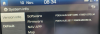
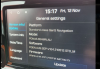
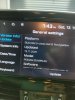
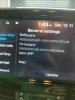
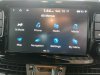
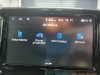
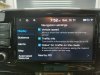
Just done mine, takes about 20 mins and a different method in the update procedure, it does appear to hang at certain points but just let it do it. A new look to the icons as well. And the maps are dated 11/21
 

Attachments

  • IMG_20211113_134311.jpg
    IMG_20211113_134311.jpg
    450.1 KB · Views: 66
  • IMG_20211113_134317.jpg
    IMG_20211113_134317.jpg
    431.8 KB · Views: 65
  • IMG_20211113_134338.jpg
    IMG_20211113_134338.jpg
    394 KB · Views: 66
  • IMG_20211113_134409.jpg
    IMG_20211113_134409.jpg
    400.9 KB · Views: 65
  • IMG_20211113_134418.jpg
    IMG_20211113_134418.jpg
    323.2 KB · Views: 64
Last edited:
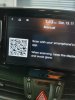
A few, the release notes harp on about the new look but no real specific info. I'm going to download the manual using the QR code to see if that gives more info.
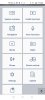
I've downloaded the manual and it's specific to the new software and features.
Here's a link to it.
 

Attachments

  • Screenshot_20211113-195815.jpg
    Screenshot_20211113-195815.jpg
    299.2 KB · Views: 45
  • IMG_20211113_195222.jpg
    IMG_20211113_195222.jpg
    514.5 KB · Views: 46
A few, the release notes harp on about the new look but no real specific info. I'm going to download the manual using the QR code to see if that gives more info.
I've downloaded the manual and it's specific to the new software and features.
Here's a link to it.

saw wifi symbol on the right side
 
Could you please explain the new update method? Should I format the original SD card as before?

you dont necessarily have to format the sd card, the hyundai software is already doing that for you.

1. Download the software from the hyundai website
2. Install the software and start it
3. Grab the sd card from your car and insert it into your pc
4. In the software, select your car and the sd card
5. let the software do its thing
6. after software is done doing its thing, insert sd card into your car
7. go to the main menu > settings > software info > click on update
8. go for a ~20min drive, do not shut off the engine, let the navigation system do its job