• Welcome to N-cars.net - the largest Hyundai N car forum. Check out the model specific sections below and scroll down for country specific forums. Scroll down for i30 N, Ioniq 5 N, i20 N, Veloster N and Kona N forums! Check out the i30 N Bible Here!

How To: Headunit firmware & GPS navigation maps update

A week after the June update and so far nothing bad, they fixed the two issues I had:
  1. Bluelink now reports the odometer properly and doesn't drop to zero after a few hours by both the Android app and my Home Assistant (was confirmed by Hyundai as a car issue when I asked them last year)
  2. The LED on the auto-stop/start button would remain lit between starts of the car, so even though after a start the auto-stop/start was being re-enabled with the dash showing it was, the LED did not stay off and came back on. I'd have to press it twice to be sure it was showing the correct state for the button.
I've not seen any problems with GPS and the speed sign system seems to working as before. The whole unit does feel a bit more responsive to me, and Android Auto through my AAWireless seems to come online quicker - shame Hyundai hasn't actually added its own wireless mode, at least as far as I can see.
 
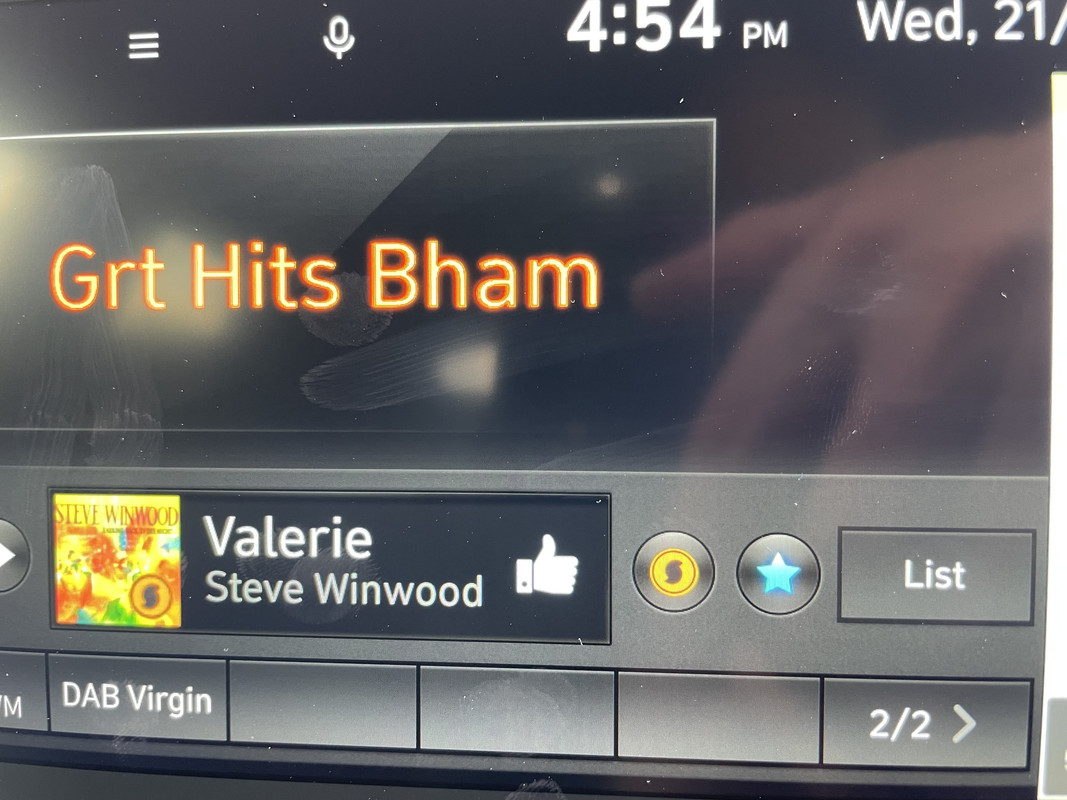
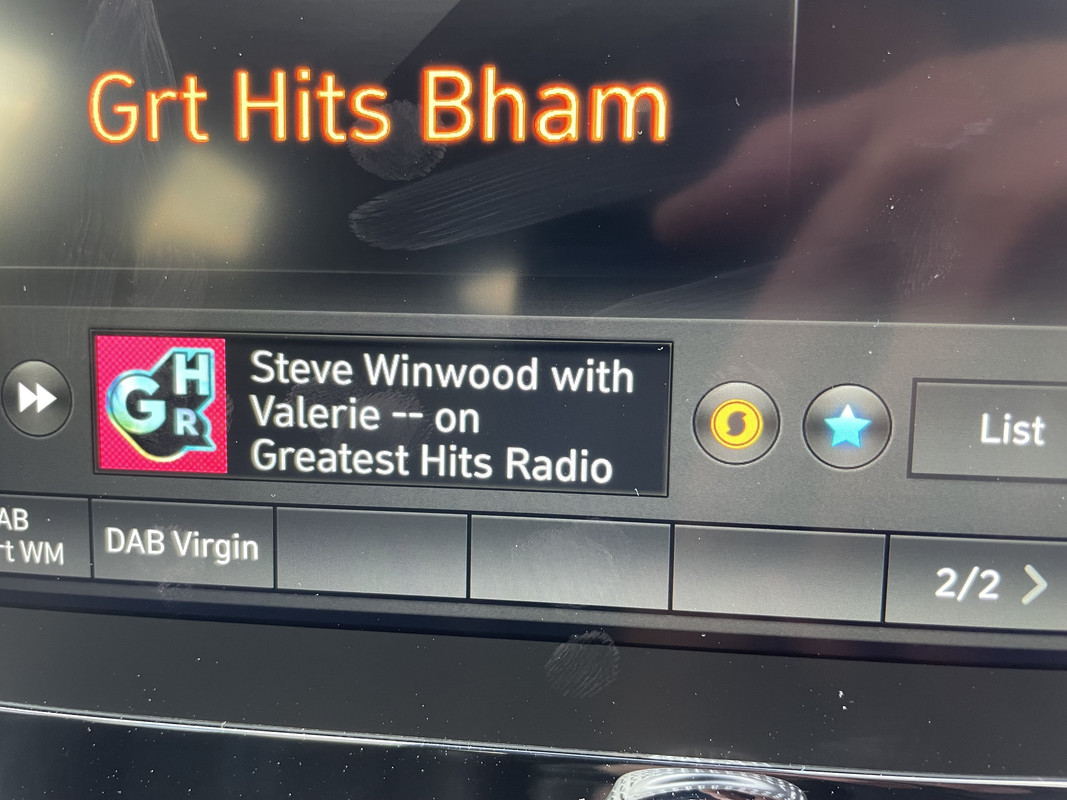
After updating my car I’ve noticed something that I not seen previously on the DAB radio, from checking the logo it seems to be Soundhound music identification. I’ve done a chat with Hyundai who are clueless and didn’t really understand what I was talking about.
Here are two pictures, showing the ‘S’ logo next to the favourite icon, when you press it, it spins and the current song playing shows up.

I expect someone will say I’ve been blind and this has been there all the time!!


Do you have the new face lift car? I dont have that and I have a 19 plate PFL fastback. I tried bluetooth and android auto
 
It still amazes me how Hyundai keeps updating and updating this radio :) Some cool features again!
 
Another new feature of this update is made up speed limits on both the nav screen and the central display. On a recent journey it displayed speed limits of 113mph, then 84 mph.
Yes, I spent over three hours on the motorway and the whole time the car seemed to think the speed limit was 30mph!
 
Going from V112 to V126 the dynamics of the sound drops significantly. Sound now has more of a surround "airy" effect and seriously lacks mid bass. I don't like this newish sound. Will have to tune my DSP again or downgrade the software :/
 
Hello, I have recently bought a i30N performance 2019 and I'm in the middle east, and the software is not available in my country(Lebanon), I have found it when I changed the region to Europe. I updated the software in the car and everything went well except the map is not for the middle east obviously.

I just wanted to know if I can download another car's navigation software(same standard class gen5 navigation) and just insert the sd card in the car. Or if someone has another way that may work I'm happy to know.

Thanks
 
Hi all, I recently got the sw upgrade for my pre-facelift Fastback - the one with the ugly generic car graphics.

What I notice is that on startup of the car, scanning the USB drive for music seems to take quite a lot longer than before (I have relatively a lot of music on the USB drive). Anyone noticed that?
 
Mine does the same intermittently, sometimes it's instant sometimes not
Yeah when you restart the car quickly enough then it's instant, that's fine. But the times it's not instant, seems to take much longer than before. I'd say instead of 2 minutes from start, more like 5 minutes.